

How to pick
The right FSM platform isn't the one with the longest feature list — it's the one whose workflow matches yours. Three questions sort 90% of buyers, in this order:
- Do you carry compliance, asset-hierarchy, or specialty-trade requirements?Elevator and escalator contractors → FIELDBOSS on Microsoft Dynamics 365 — purpose-built for ASME compliance, unit-level asset history, and CAT 1/CAT 5 test scheduling. Commercial HVAC and specialty mechanical contractors who need refrigerant tracking, multi-unit building portfolios, and Microsoft 365 / Azure / Dynamics integration → alsoFIELDBOSS. Residential HVAC under 15 trucks → FieldEdge.
- Are you commercial multi-trade or residential?Commercial HVAC + plumbing + electrical multi-trade shops above $10M revenue with both service and project work → BuildOps — the only well-funded modern platform built ground-up for this market. Residential generalist trades → keep going to question 3.
- How many techs do you have, and where will you be in 18 months?Under 10 trucks → Jobber for onboarding speed and total cost. 10–50 trucks → Housecall Pro for mobile UX and marketing automation. 50+ trucks → ServiceTitan for dispatch depth and BI reporting.
Editor's picks by category
Each category is defined by a job-to-be-done, not an arbitrary ranking. Click through to the detailed comparison or full review for the criteria, scores, and trade-offs behind each pick.
Editor's #1 pick — best for elevator and vertical-transport service
FIELDBOSS
8.7/10$90–$185/user/month, plus $50,000-$100,000+ one-time implementation
Built natively on Microsoft Dynamics 365 — the only modern platform that handles unit-level asset hierarchy, ASME A17.1 compliance documentation, CAT 1/CAT 5 test scheduling, and callback tracking per unit without custom configuration. The right answer for any elevator or escalator contractor who takes compliance seriously.
Best for commercial HVAC and specialty mechanical contractors
FIELDBOSS
8.7/10$90–$185/user/month, plus $50,000-$100,000+ one-time implementation
Equipment-per-serial-number history, refrigerant tracking, multi-unit building portfolios, and maintenance-agreement billing on the Microsoft Dynamics 365 platform. The Microsoft 365 / Azure / Dynamics integration depth wins commercial HVAC contractors with compliance trails the residential generalists can't replicate.
Best for commercial mechanical multi-trade contractors
BuildOps
8.6/10Custom quote
The only well-funded modern platform built ground-up for commercial HVAC, plumbing, and electrical multi-trade shops. Unifies service dispatch, project management, and commercial billing in one system. Sweet spot is $10M+ revenue with both service and project work.
Best for the small shop owner who needs to invoice fast
Jobber
8.3/10From $49/mo
Cleanest onboarding in the SMB segment, transparent pricing from $49/mo, and the mobile app techs actually want to use. Wins for owner-operators and 1–10 truck shops.
Best for the solo operator or one-tech shop
Jobber
8.3/10From $49/mo
Onboards in an afternoon, stays under $50/month solo, and puts card payments in your pocket before you leave the driveway — the safest default for a one-person shop that wants room to grow.
Best for the operations manager scaling past 20 trucks
Housecall Pro
8.3/10From $49/mo
Strongest mobile UX in the mid-market, with marketing automation that compounds as you add techs. Sweet spot is 10–50 employees in residential trades.
Best for the enterprise FSM transformation
ServiceTitan
8.3/10From $300/user/mo
Deepest feature set in residential FSM. Marketing attribution, dispatch optimization, and BI reporting actually move the financial needle at 50+ techs — and the implementation cost is real.
Best for residential HVAC workflows
FieldEdge
8.1/10Custom quote
Best-in-class QuickBooks integration paired with HVAC-specific workflows — equipment hierarchy, refrigerant tracking, maintenance contracts. The right answer for residential HVAC shops that don't need FIELDBOSS-level compliance depth.
Best for residential plumbing
ServiceTitan
8.3/10From $300/user/mo
Same dispatch + flat-rate pricebook tooling that wins residential HVAC, tuned for plumbing trades with strong call-booking and financing integrations. Premium price tag — for commercial plumbing, BuildOps is the better fit.
Best free / freemium starter
ZenMaid
8.2/10$19–$49/month
The only credible freemium FSM tool — purpose-built for residential cleaning. Free up to a small team; paid plans unlock recurring billing and team scheduling at modest prices.
All best-of roundups
Every best-of post routes through this hub. Browse the full set here, then jump to the industry frameworks below when you need trade-specific buying context.

Best of
5 Best Mobile Workforce Software for Field Service [Tested]
Five mobile workforce platforms for field service, independently scored on offline mode, dispatch, integrations, reporting and onboarding.
Best of
Best Commercial Mechanical Contractor Software
Independent picks for the best software for commercial mechanical contractors in 2026, ranked by operating model instead of generic feature count.
Best of
Best Construction Estimating & Takeoff Software
Independent picks for the best construction estimating and takeoff software in 2026, ranked by takeoff accuracy, pricing, and who each tool actually fits.

Best of
Best Equipment Maintenance Software
The best equipment maintenance software for asset registers, meter-based PM, and installed-base history across maintenance teams.

Best of
Best Estimating Software for Field Service
The estimating tools that produce accurate quotes fast — independently scored on speed, accuracy, and integration with field operations.

Best of
Best Field Service Software for Solo Operators (2026)
The best field service software for solo operators and one-tech businesses in 2026 — scored on price, mobile, and how fast you actually get paid.

Best of
Best Industrial & Manufacturing Field Service Software
Independent picks for the best FSM software for industrial and manufacturing service teams, scored on assets, compliance, and integrations.
Best of
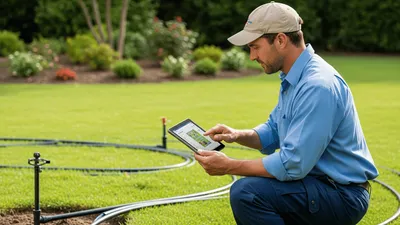
Best Irrigation Business Service Software
Independent picks for the best FSM software for irrigation contractors — scored on seasonal scheduling, route density, and recurring services.

Best of
Best IT & Technology Field Services Software
Independent picks for the best FSM software for IT and technology service teams — scored on ticketing, asset management, and integrations.
Best of
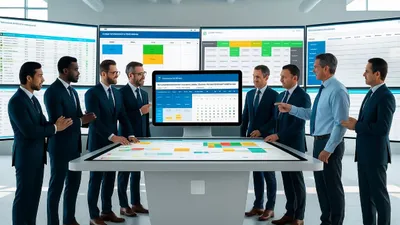
Best Job Scheduling Software for Field Service
Five field service scheduling tools, independently scored on dispatch, routing, mobile, pricing and integrations, with picks by team size.

Best of
Best Medical Equipment Service Software
Independent picks for the best FSM software for medical equipment service teams — scored on compliance, asset history, and uptime workflows.

Best of
Best Moving & Relocation Services Software
Independent picks for the best software for moving and relocation companies — scored on dispatch, crew scheduling, and inventory.

Best of
Best Open-Source Field Service Software
Real open-source FSM options: OCA Field Service, ERPNext, openMAINT, Budibase, OpenBoxes, openCRX, LibreWO — start with Odoo Community + OCA for real FSM.
Best of
Best Predictive Maintenance Software
Four predictive maintenance platforms compared on analytics, IoT integration, pricing and ROI, with picks from entry-level CMMS to enterprise.
Best of
Best Preventive Maintenance Software
Independent picks for the best preventive maintenance software in 2026, scored on scheduling depth, asset hierarchy, and mobile execution.
Best of
Best Refrigeration Field Service Software
Seven refrigeration field service software picks for commercial contractors, ranked for dispatch, equipment history, PM, pricing, and integrations.

Best of
Best Renewable Energy Field Service Software
Independent picks for the best FSM software for solar and wind operators — scored on remote diagnostics, route density, and asset history.

Best of
Best Rental Equipment Field Service Software
Independent picks for the best equipment rental software across general rental, heavy equipment, party-event, and tool-room workflows.
Best of
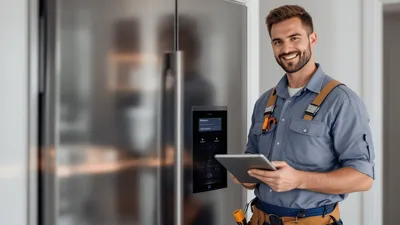
Best Software for Appliance & Equipment Repair
Independent picks for the best FSM software for appliance and equipment repair contractors in 2026 — scored on dispatch, parts, and warranty workflows.

Best of
Best Software for Automotive & Fleet Services
Independent picks for the best FSM software for automotive and fleet service operations in 2026 — scored on routing, telematics, and compliance.

Best of
Best Software for Cleaning Services Field Service Companies
Independent picks for the best FSM software for cleaning companies — scored on recurring scheduling, payroll, and customer communication.

Best of
Best Software for Construction & Building
Independent picks for the best FSM software for construction and building contractors in 2026 — scored on project management, mobile, and integrations.

Best of
Best Software for Electrical Services
Independent picks for the best FSM software for electrical contractors in 2026 — scored on dispatch, mobile, pricing, and integrations.

Best of
Best Software for Elevator & Escalator
Independent picks for the best FSM software for elevator and escalator contractors in 2026 — scored on inspection, compliance, and route management.

Best of
Best Software for Facilities Management
Independent picks for the best FSM software for facilities management teams in 2026 — scored on work orders, asset tracking, and reporting.

Best of
Best Software for HVAC Field Service Companies
Independent picks for the best FSM software for HVAC contractors in 2026 — scored on dispatch, mobile, pricing, and integrations. Reviewed by Chip Alvarez.

Best of
Best Software for Oil, Gas & Mining Field Service Companies
Independent picks for the best FSM software for oil, gas, and mining service operators — scored on remote work, compliance, and asset history.

Best of
Best Software for Pest Control & Lawn Care
Independent picks for the best FSM software for pest control and lawn care companies in 2026 — scored on routing, recurring services, and CRM.

Best of
Best Software for Plumbing Field Service Companies
Independent picks for the best FSM software for plumbing contractors — scored on dispatch, mobile, pricing, and integrations.

Best of
Best Software for Security & Fire Protection
Independent picks for the best FSM software for security and fire protection contractors in 2026 — scored on inspection, compliance, and reporting.

Best of
Best Telecommunications Software
Independent picks for the best FSM software for telecom field operations — scored on ticketing, dispatch, and network asset management.

Best of
Best Time Tracking Software for Field Service
The time tracking tools that capture field hours accurately across multiple job sites — scored on mobile, GPS, and payroll integration.

Best of
Best Utilities & Energy Field Service Software
Independent picks for the best FSM software for utility and energy field operations — scored on outage management, compliance, and BSS/OSS fit.

Best of
Best Waste Management Software
Independent picks for the best software for waste and recycling operators — scored on routing, scheduling, and field execution.
Best of
Best Work Order Software for Field Service
The work order tools that keep techs productive and customers informed — independently scored on dispatch, mobile, and customer comms.
Industry frameworks
These industry hubs explain the operational context behind the roundups: compliance, dispatch patterns, equipment complexity, and buying criteria by vertical.
- Appliance and Equipment Repair
- Automotive and Fleet Services
- Cleaning Services
- Commercial Construction Service
- Electrical
- Elevator and Vertical Transport
- Equipment Rental
- Facilities Management
- HVAC
- Irrigation
- IT Services and MSPs
- Lawn Care and Landscaping
- Manufacturing Field Service
- Medical Devices
- Moving and Relocation
- Oil, Gas and Mining
- Pest Control
- Plumbing
- Refrigeration
- Renewable Energy
- Security Systems
- Telecommunications
- Utilities
- Waste Management
How we test
Methodology
Five criteria. The same five for every platform.
- Usability
- How fast can a new dispatcher build a route, or a technician complete a job on mobile, without training? Timed hands-on with real crews where possible.
- Pricing
- Is pricing listed publicly without a demo call? What does it actually cost per user per month at 5, 10, and 25 seats — including onboarding fees and required add-ons?
- Feature depth
- Does the platform cover the full job lifecycle — scheduling, dispatch, work orders, invoicing, customer comms, reporting — or are critical pieces missing or locked behind expensive tiers?
- Support
- What does the support experience look like post-sale? We check response times, knowledge-base quality, and whether live support is gated behind premium plans.
- Integrations
- Does it connect cleanly to QuickBooks, Google Calendar, and the other tools most service businesses already run? Integration quality is a real-world test of engineering investment.
Recent head-to-heads
The picks above answer "what should I buy." The comparisons below answer "how does X actually stack up against Y." Useful when you've narrowed to two finalists.

Comparison
Markate vs Jobber: Home-Service FSM Compared (2026)
Markate is the cheaper option for solo operators and tiny teams; Jobber wins on polish and client experience, with a 14-day free trial on its Grow plan.
Comparison
BuildOps vs ServiceTitan: Commercial FSM Compared (2026)
BuildOps is purpose-built for commercial contractors; ServiceTitan covers residential and commercial. Here's which platform fits your market and budget.
Comparison
Smart Service vs ServiceTitan: QuickBooks FSM Compared
Compare Smart Service's QuickBooks Desktop workflow with ServiceTitan's automation, marketing, and multi-location reporting workflows.

Comparison
Tradify vs Jobber: Trade FSM Software Compared (2026)
Compare Tradify and Jobber by trade workflow, plan-specific automation, published pricing, and documented regional feature availability.
Comparison
ESS vs FIELDBOSS: Specialty Trade FSM Compared (2026)
ESS combines contractor ERP and mobile field work; FIELDBOSS adds a Microsoft Dynamics 365 foundation for HVAC and elevator operations.
Comparison
Workiz vs Housecall Pro: Compare Workflows Before You Buy
Workiz vs Housecall Pro: compare call-to-job, customer communication, QuickBooks Online sync behavior, and current pricing.
Comparison
BuildOps vs FIELDBOSS: Commercial FSM Compared (2026)
Compare BuildOps and FIELDBOSS pricing, implementation, Microsoft architecture, integrations, and fit for commercial contractors.
Comparison
BuildOps vs Procore: Service vs Construction Software
Compare BuildOps and Procore pricing, service and project workflows, RFIs, submittals, job costing, and fit for commercial contractors.
Comparison
Elevator Total Service vs FIELDBOSS: FSM Compared (2026)
Compare Total Service and FIELDBOSS for elevator contractors: ERP depth, payroll, Dynamics 365, implementation, and switching scenarios.
Common questions about FSM software
What is field-service-management software?
Field-service-management (FSM) software is the operating system for service businesses — it integrates dispatching, scheduling, work orders, invoicing, customer communications, and mobile field tools in one platform. Instead of juggling spreadsheets, phone calls, and separate billing tools, a service business routes all that workflow through a single system. The result is faster job completion, fewer missed appointments, and cleaner billing. See our glossary entry on field-service management for the formal definition.
How much does FSM software cost?
Pricing spans a wide range. SMB tools like Jobber and Housecall Pro typically run $30–$150 per user per month, billed annually. Mid-market platforms like FieldEdge or ServiceFusion land in the $100–$250 range. Enterprise platforms like ServiceTitan are quote-based and routinely run $200–$500+ per user per month once you add required onboarding fees. Free tiers exist but are limited — most serious shops pay. Always check whether onboarding, training, and integrations are bundled or billed separately.
What's the difference between Jobber and ServiceTitan?
Jobber targets small residential service businesses (1–20 employees) with a clean, easy-to-learn UI, transparent pricing, and fast onboarding. ServiceTitan targets larger commercial and residential operations (20+ techs) with deeper dispatch boards, revenue performance tracking, and customer-financing integrations — but at a significantly higher cost and a steeper setup curve. If you're a 5-tech HVAC shop, Jobber will likely serve you better. If you're running a 50-tech commercial operation with complex billing, ServiceTitan's feature depth pays off.
Do I need FSM software at 5 employees?
Almost certainly yes. At 5 employees you're likely juggling manual scheduling, phone-based dispatching, and separate invoicing — all friction that compounds as you add one more truck. Jobber, Housecall Pro, and similar SMB tools are designed specifically for this inflection point. They pay for themselves quickly: faster invoicing alone (same-day vs. net-30) typically recovers the subscription cost in the first month. The question isn't whether you need it — it's which one fits your trade and your workflow.
Which FSM software has the best mobile app?
Housecall Pro consistently earns high marks for its mobile-first UX — technicians can complete jobs, collect payment, and request reviews without leaving the app. Jobber's mobile app is equally polished for smaller crews. ServiceTitan's mobile app is more powerful but has a steeper learning curve. FieldEdge and Successware have historically lagged on mobile but have improved in recent releases. For crews where the phone is the primary work surface, Housecall Pro or Jobber are the safest starting points.
Is there free FSM software?
Most serious FSM platforms are paid-only. A few offer free trials (14–30 days) but no perpetual free tier. ZenMaid has a freemium option targeted at residential cleaning operations. Some general-purpose tools like HubSpot CRM can cover basic scheduling at no cost, but they lack the trade-specific workflows (dispatch boards, work orders, GPS tracking) that FSM software provides. For most service businesses, the ROI case for a paid tool is clear within the first quarter of use.
How often are your reviews updated?
We review every published post at least once every 12 months, and more frequently when a vendor ships a major platform update or changes pricing. Each post carries a 'Last reviewed' date in the byline so you can see exactly when it was last verified. Posts older than 12 months without a re-review are flagged in our internal CI system and prioritized for refresh. Pricing data is the most volatile — we verify it against vendor websites on every review cycle.